Insula is here
Insula is a personal agentic desktop code editor from Insula Labs. Open a project, work with an agent in your workspace, and keep every change under your control.
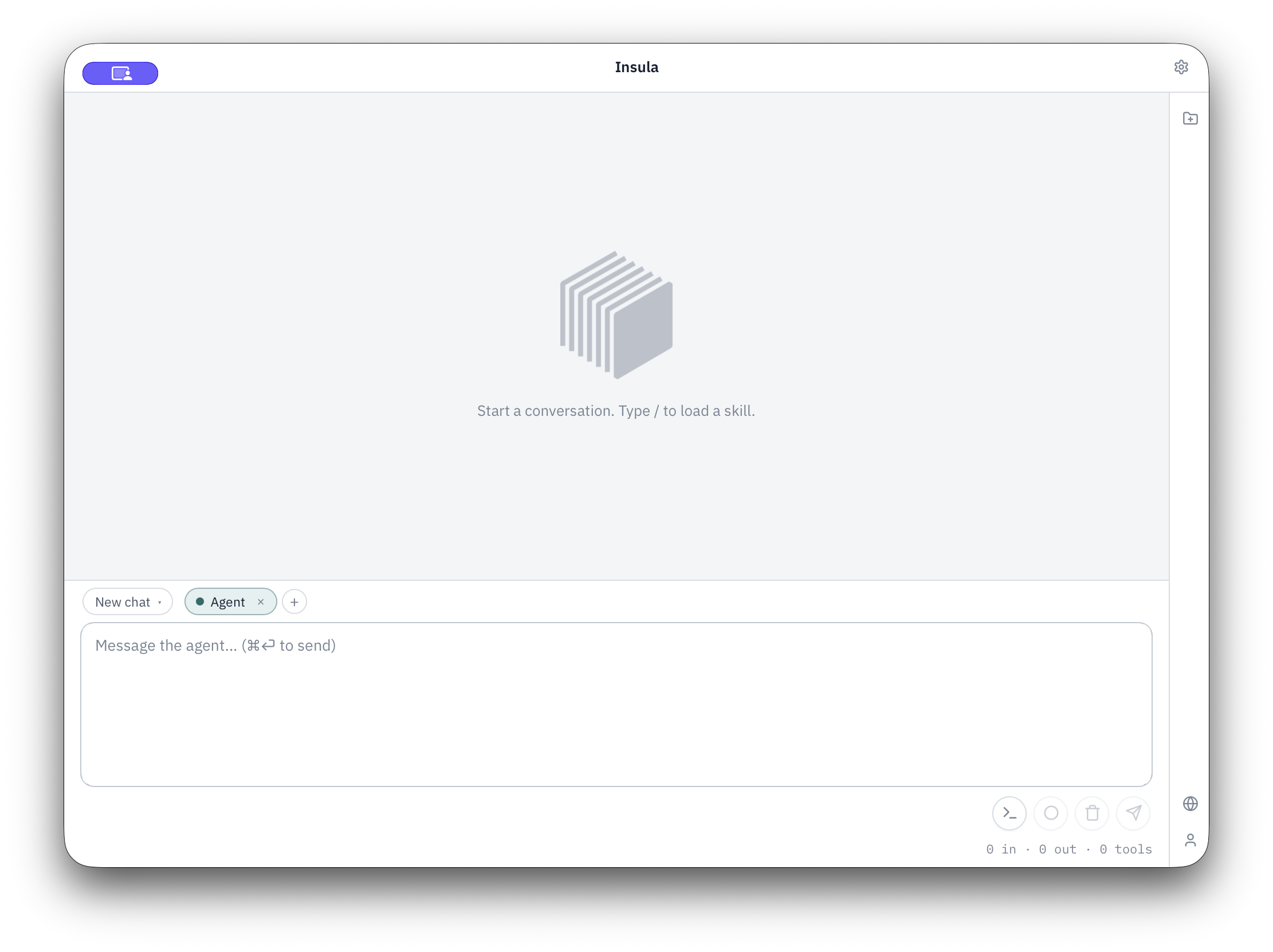
Conversation first
Without a project open, Insula is a companion. Start a chat, load a skill with /, open a folder when you are ready. The window stays focused on the work — settings and account live elsewhere.
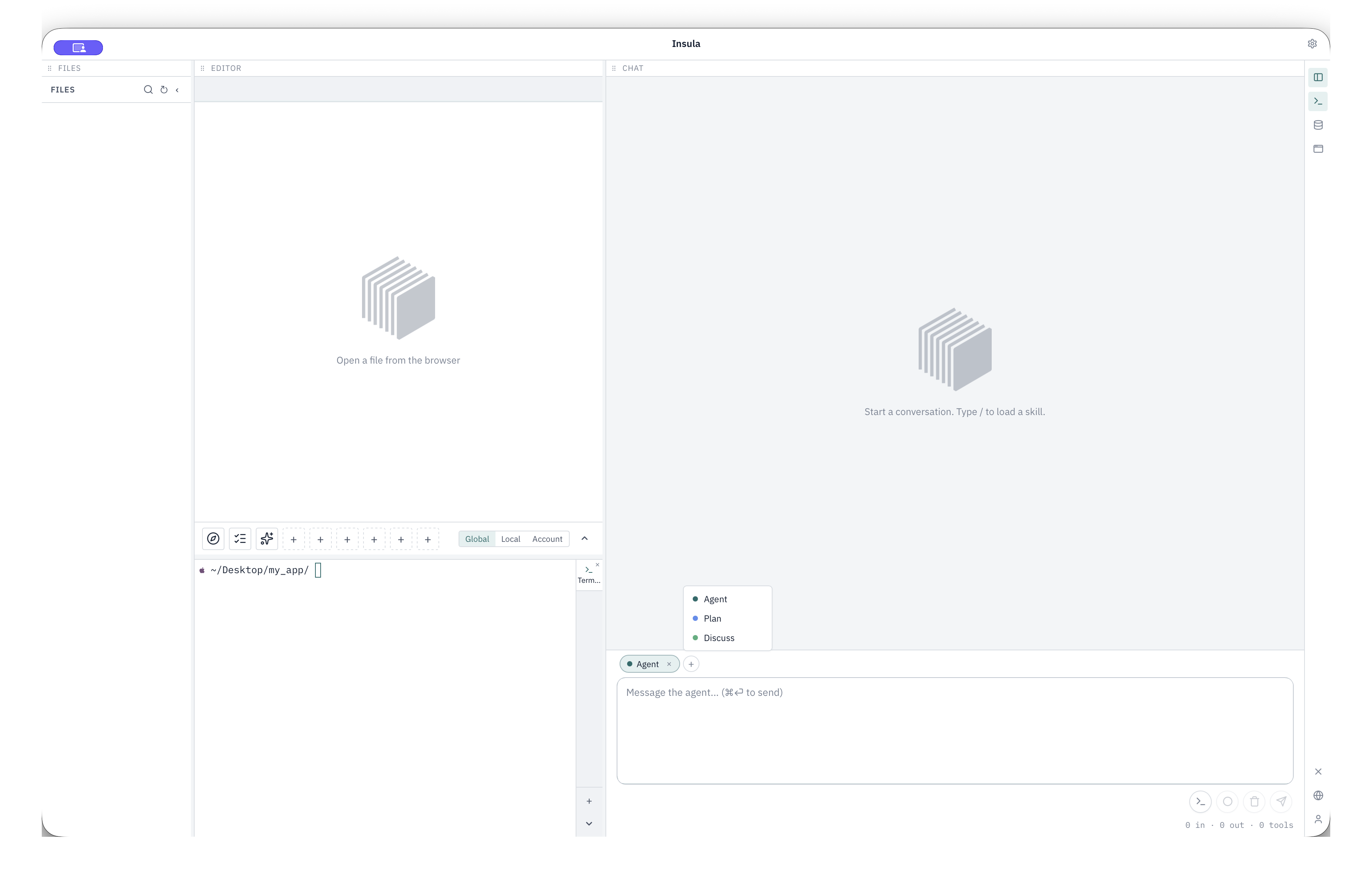
Open a folder and the same window becomes a full workspace: files, editor, terminals, Insight, and a simple in-app browser, still chat-first. The agent sees your project. It is not a chat window bolted on the side.
Agent, Discuss, and Plan
With a project open you choose how the agent shows up:
- Agent — implement: edit files, run approved commands, use Insight and skills
- Discuss — explore and explain without writing or running shell
- Plan — draft a durable markdown plan you can read as it takes shape, then Build when you want it implemented
You stay in the loop. Terminal commands need approval unless you have already allowed them. Plans only run when you press Build. Nothing runs on your machine without you deciding it should.
From idea to a plan you can review
Here is a greenfield walkthrough: a Go module with a Fuego HTTP API, thin handlers, a client library, and a CLI.
Describe the work in Plan. The plan opens live in the editor — goals, endpoints, constraints, layout — while the agent researches and updates the document. When it is ready, you get a clear summary and a Build button.
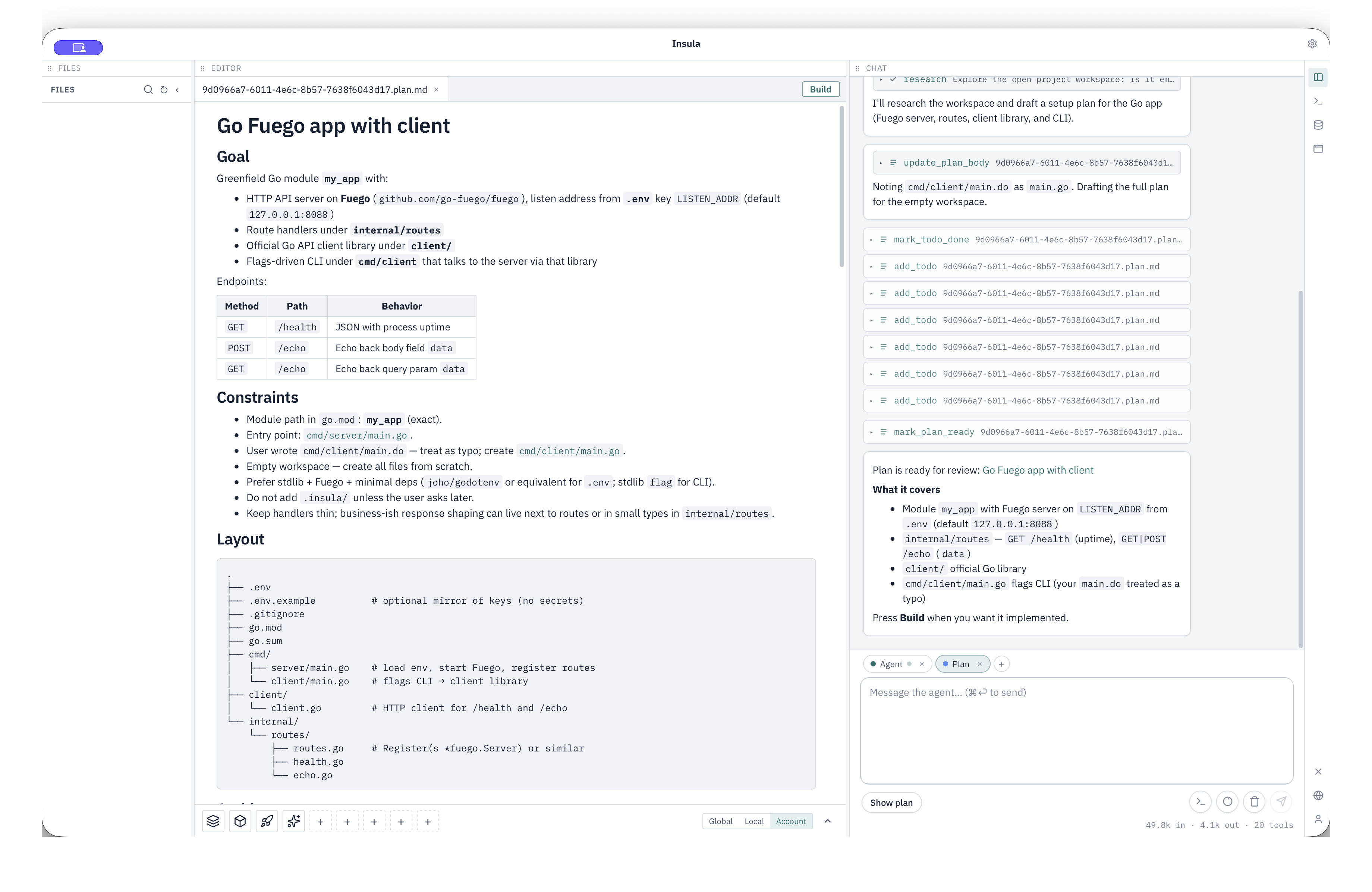
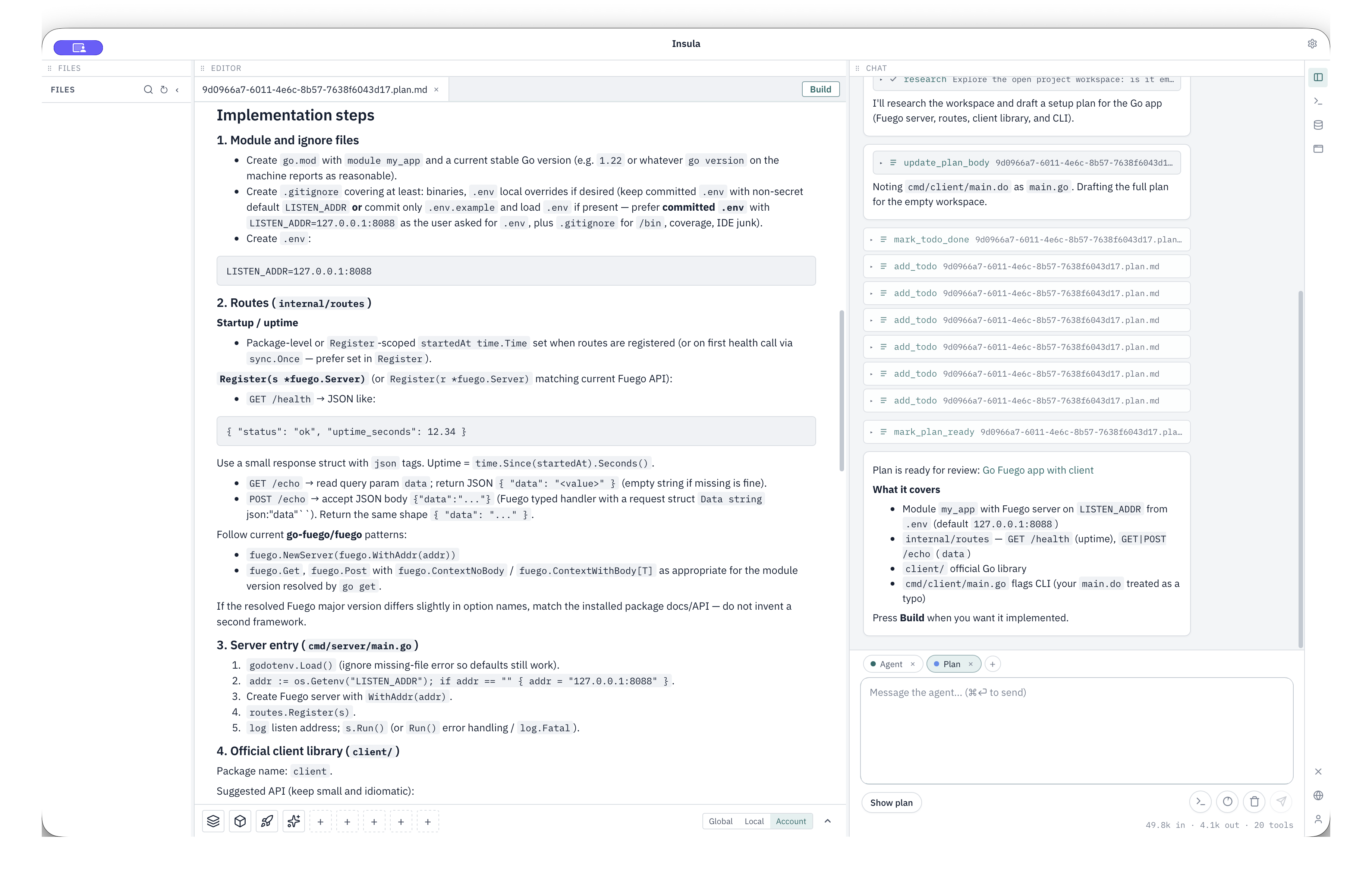
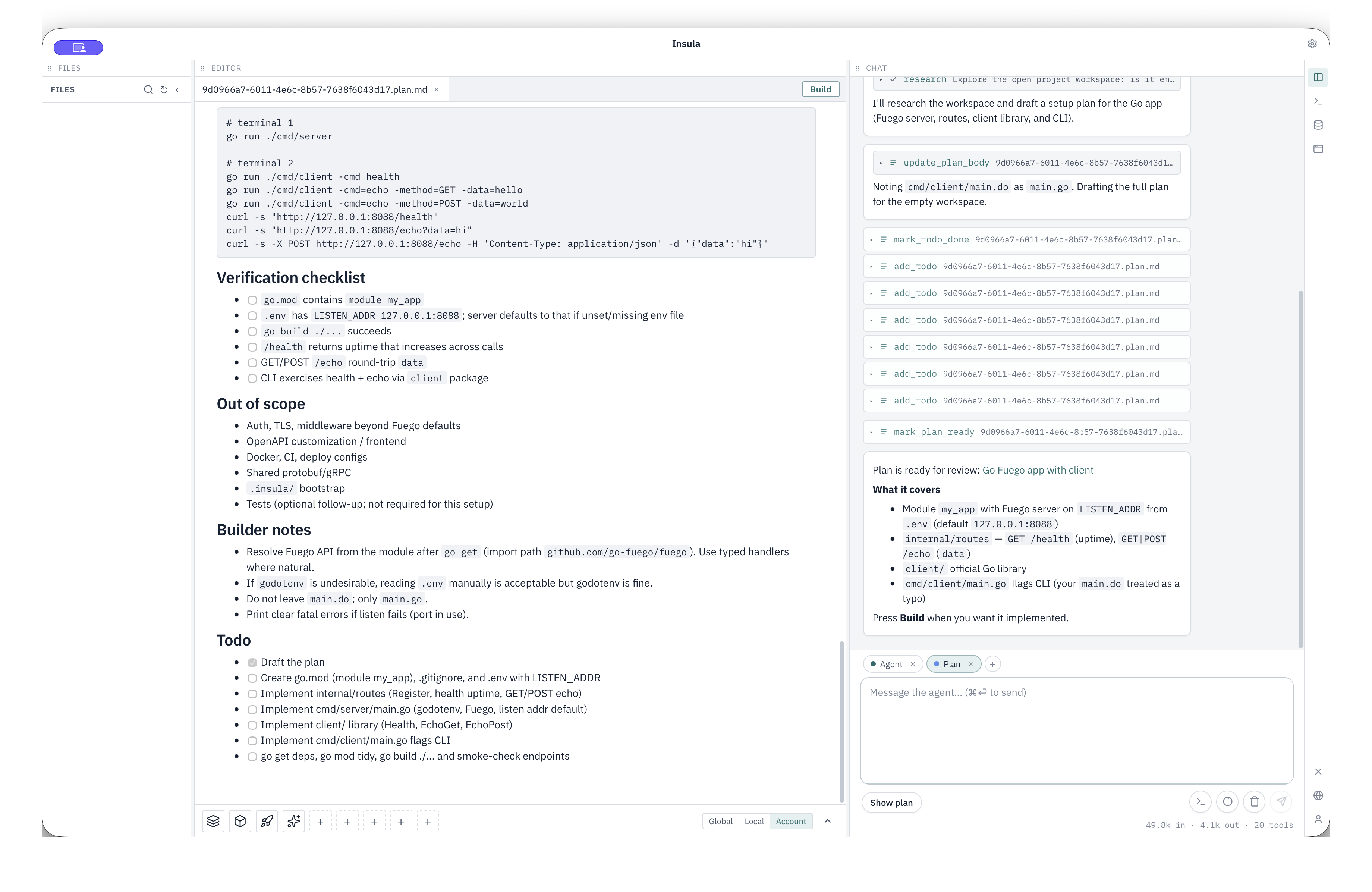
Press Build when you want it implemented. A builder carries out the plan while you follow progress. A finished build is marked Built so it is not run again by accident.
Built: code, terminal, and browser in one place
After Build, the project is on disk. Files in the tree, a running server in the terminal, OpenAPI docs in the in-app browser — same window as the agent.
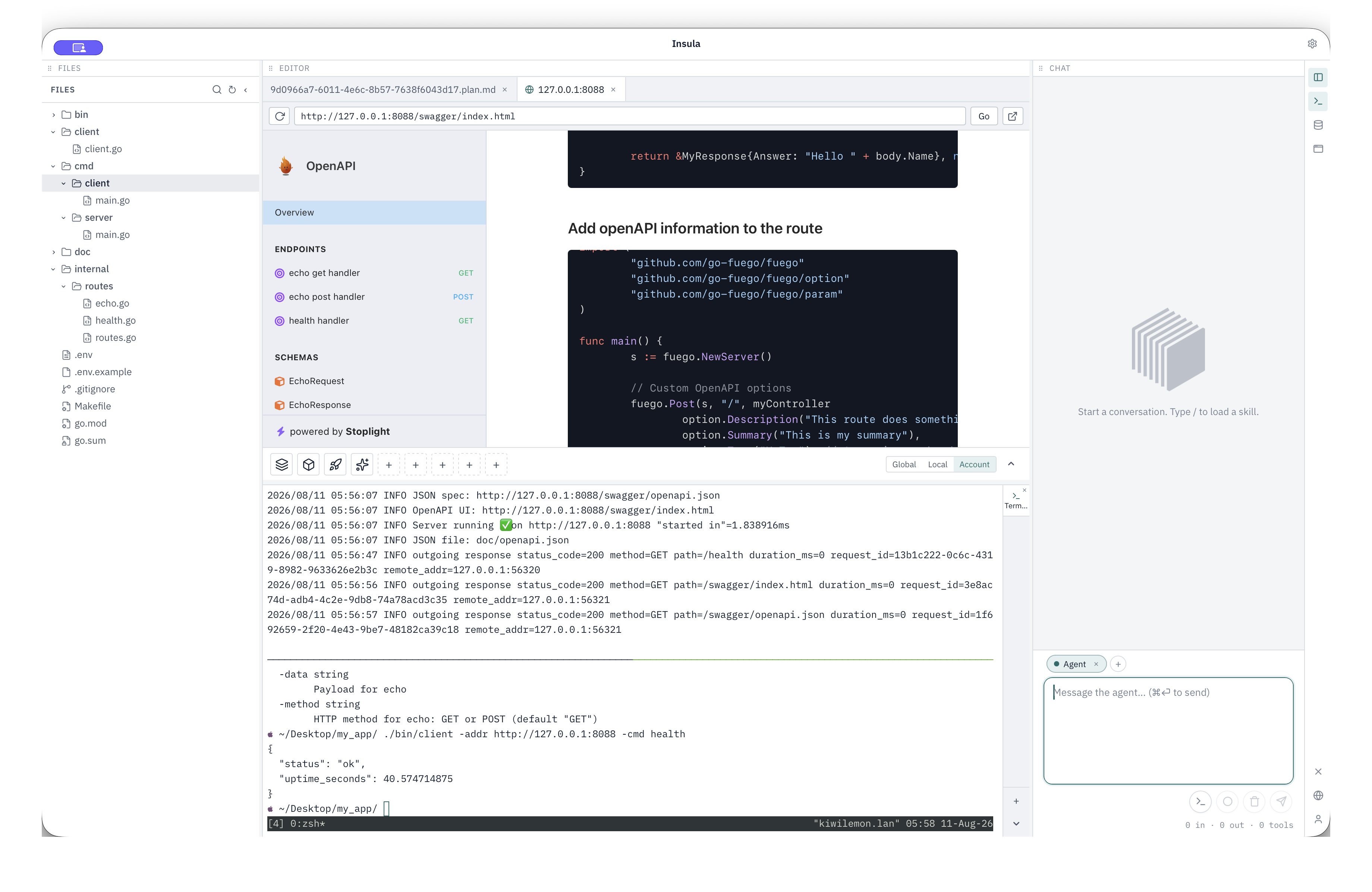
That is the loop we care about: discuss, plan, review, build — with a clear path before large changes land.
Macros and human-in-the-loop
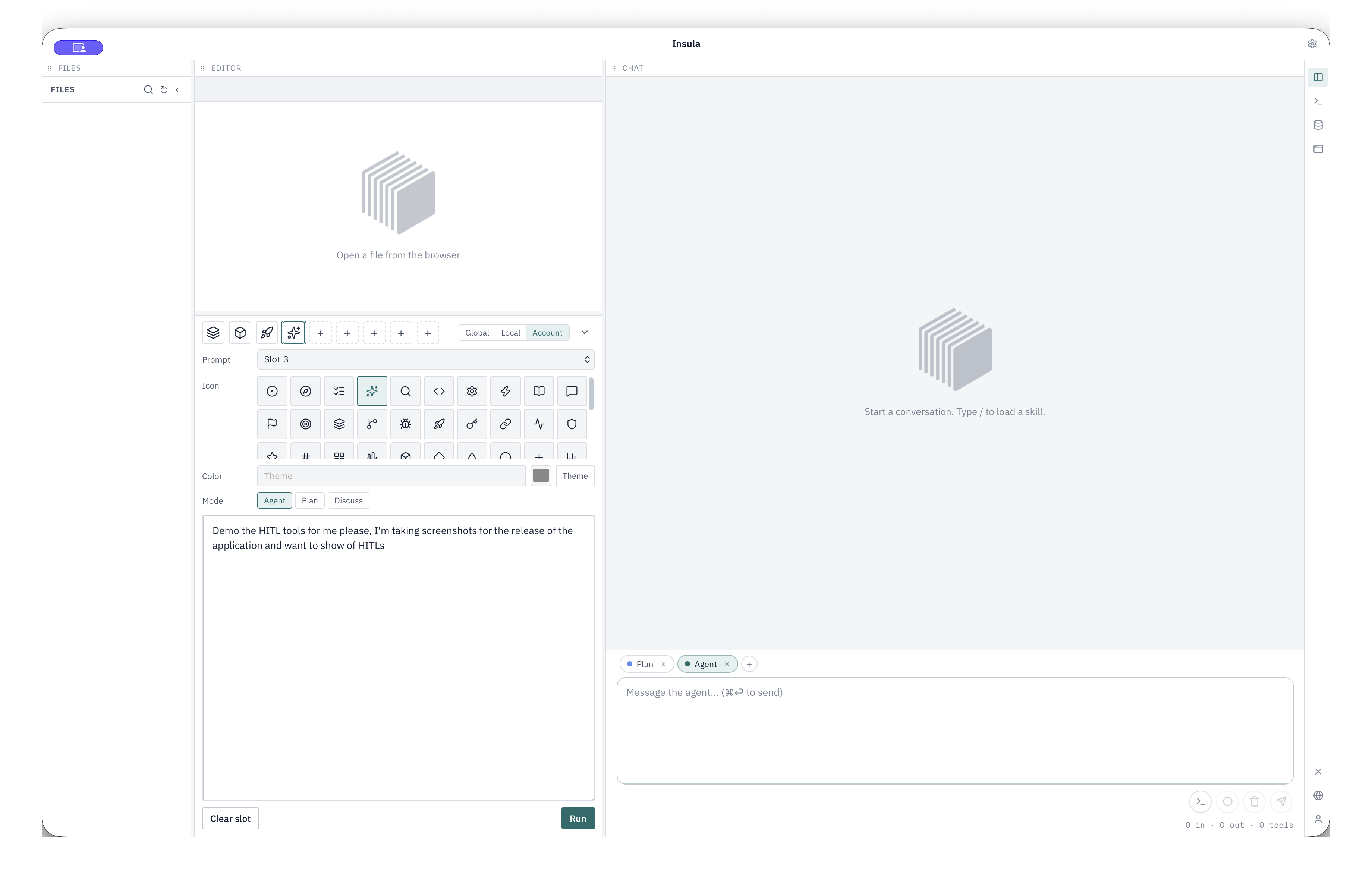
Macros are quick prompts on the Command Panel. Assign a slot, pick Agent, Plan, or Discuss, and run. Defaults include Discover Codebase, Code Review, and Project Idea Generator. You can keep macros on this computer, in the project, or on your account when signed in.
Agents can run deeper read-only research and return a short briefing so the main chat stays lean.
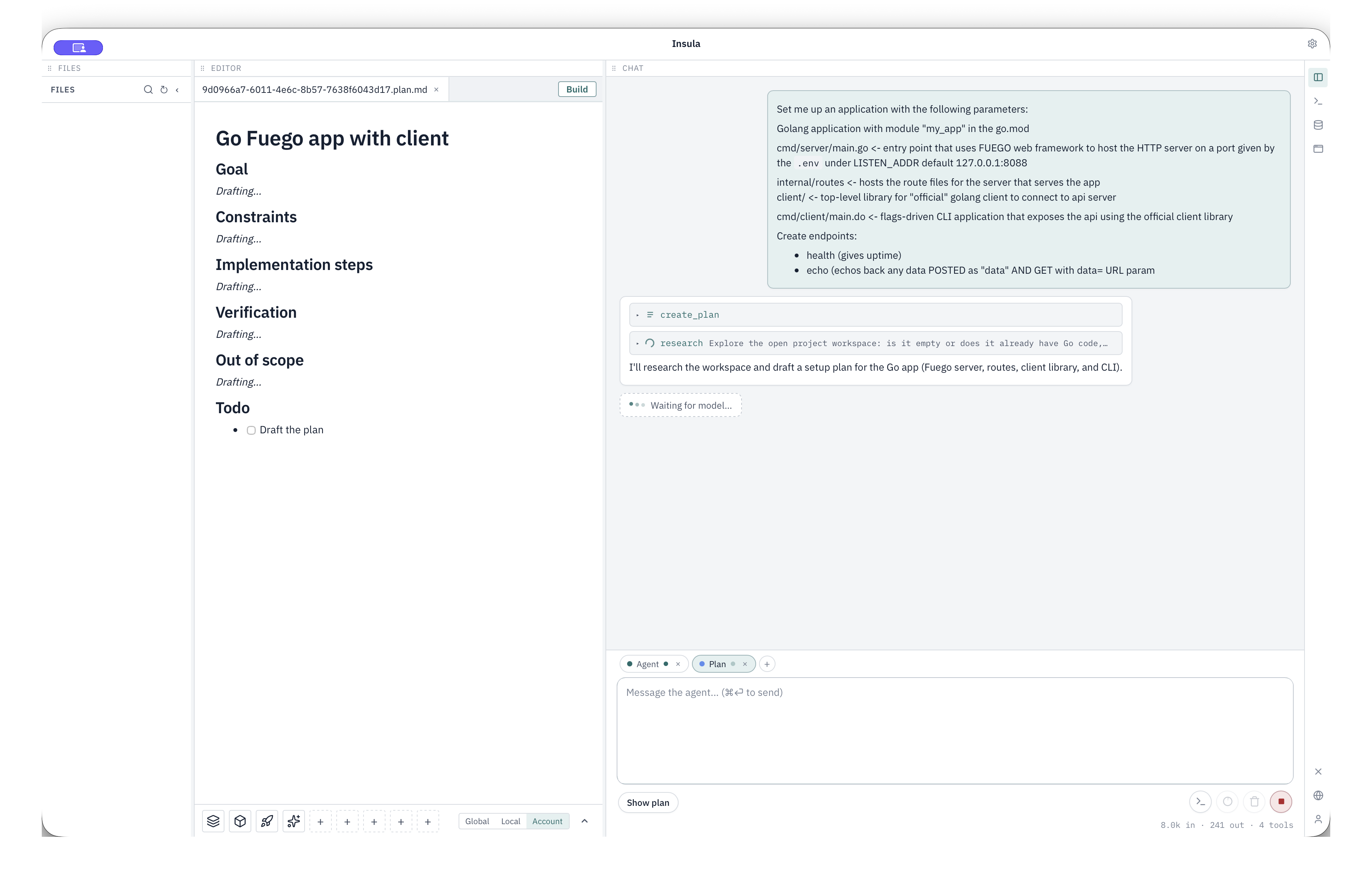
When a command needs approval, Insula asks. Allow once, always allow a prefix, or deny. In Plan mode, if a decision blocks progress, you get an Input needed prompt before work continues.
Rules and skills shape standing guidance and on-demand playbooks. You decide how much autonomy the agent has.
Bring your models
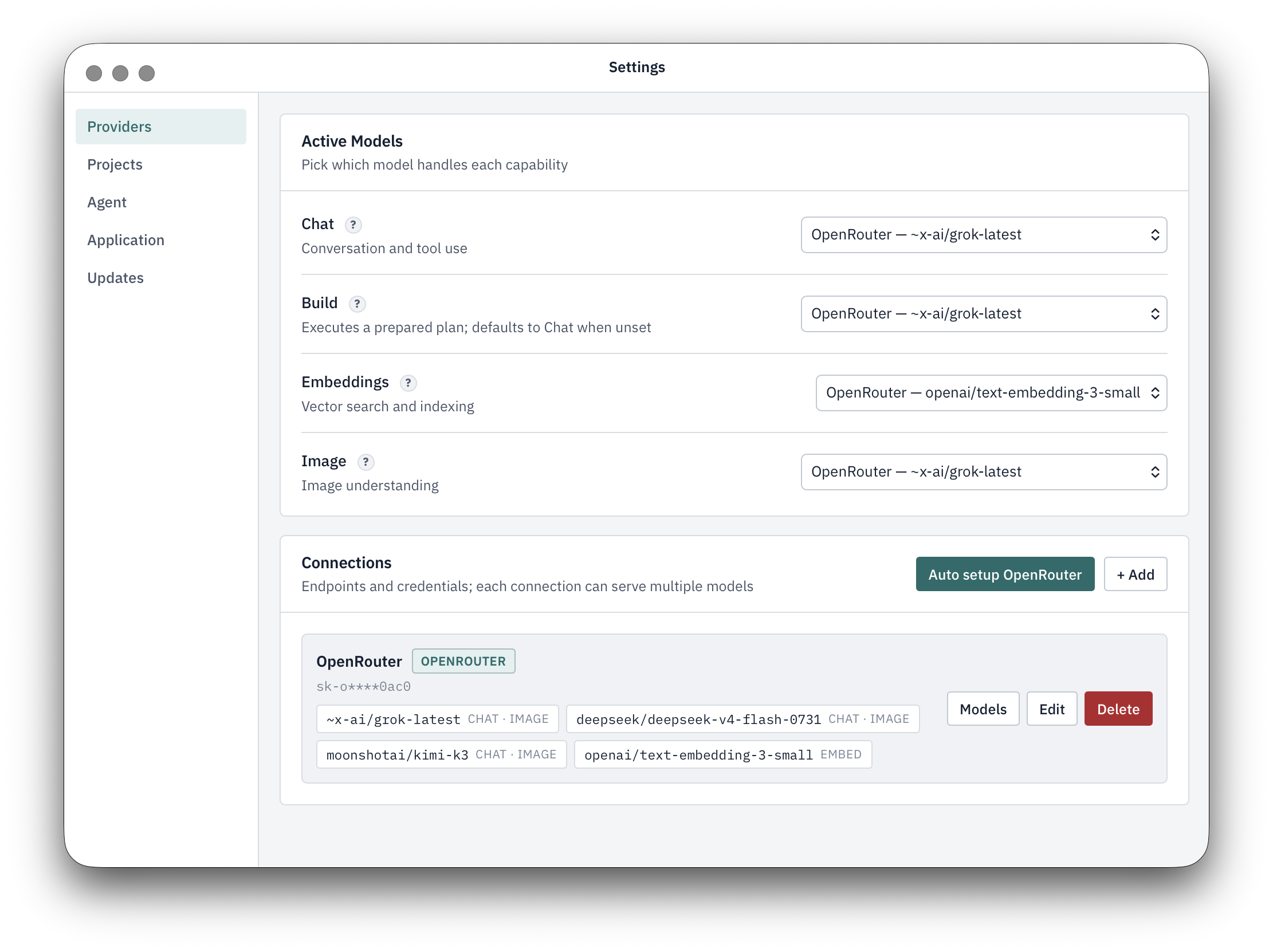
You configure the providers. Assign models by role:
- Chat — Agent, Discuss, and plan drafting
- Build — plan execution (falls back to Chat if unset)
- Embeddings — Insight, the local semantic index
- Image — image understanding for context
Connections and credentials stay yours. Insight indexes the project on this machine. Search and orientation without shipping your codebase to a remote workspace.
Make it yours
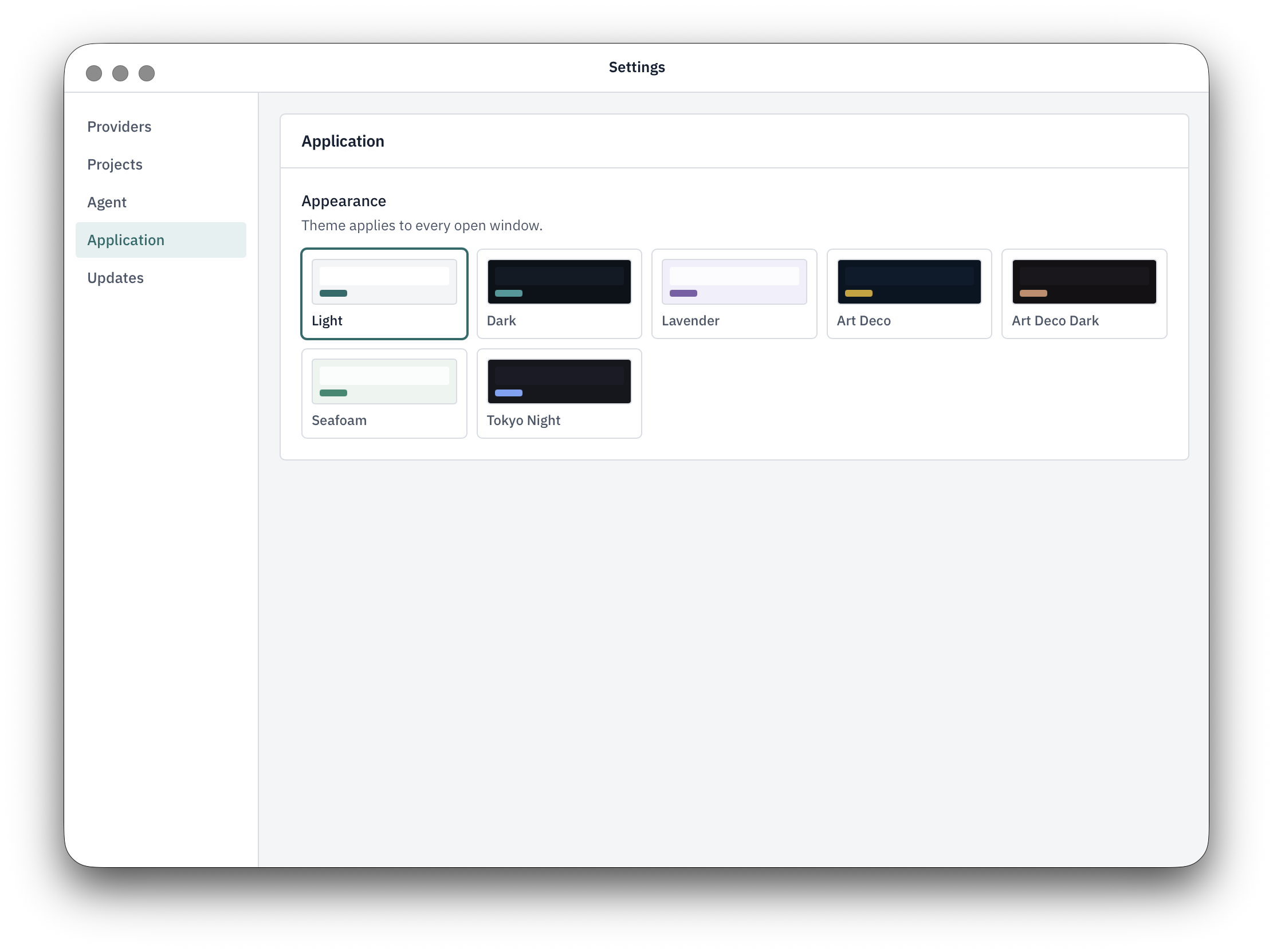
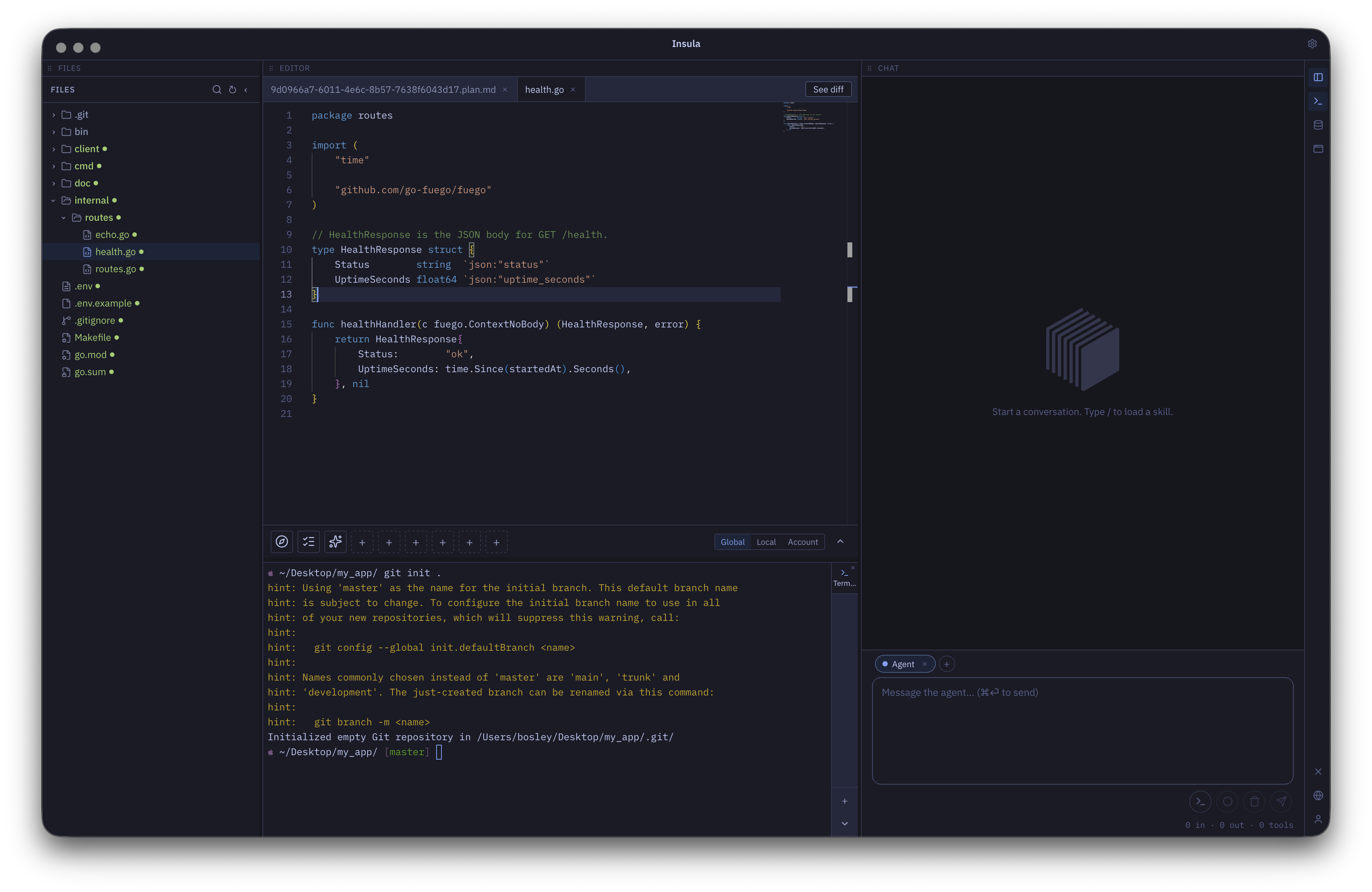
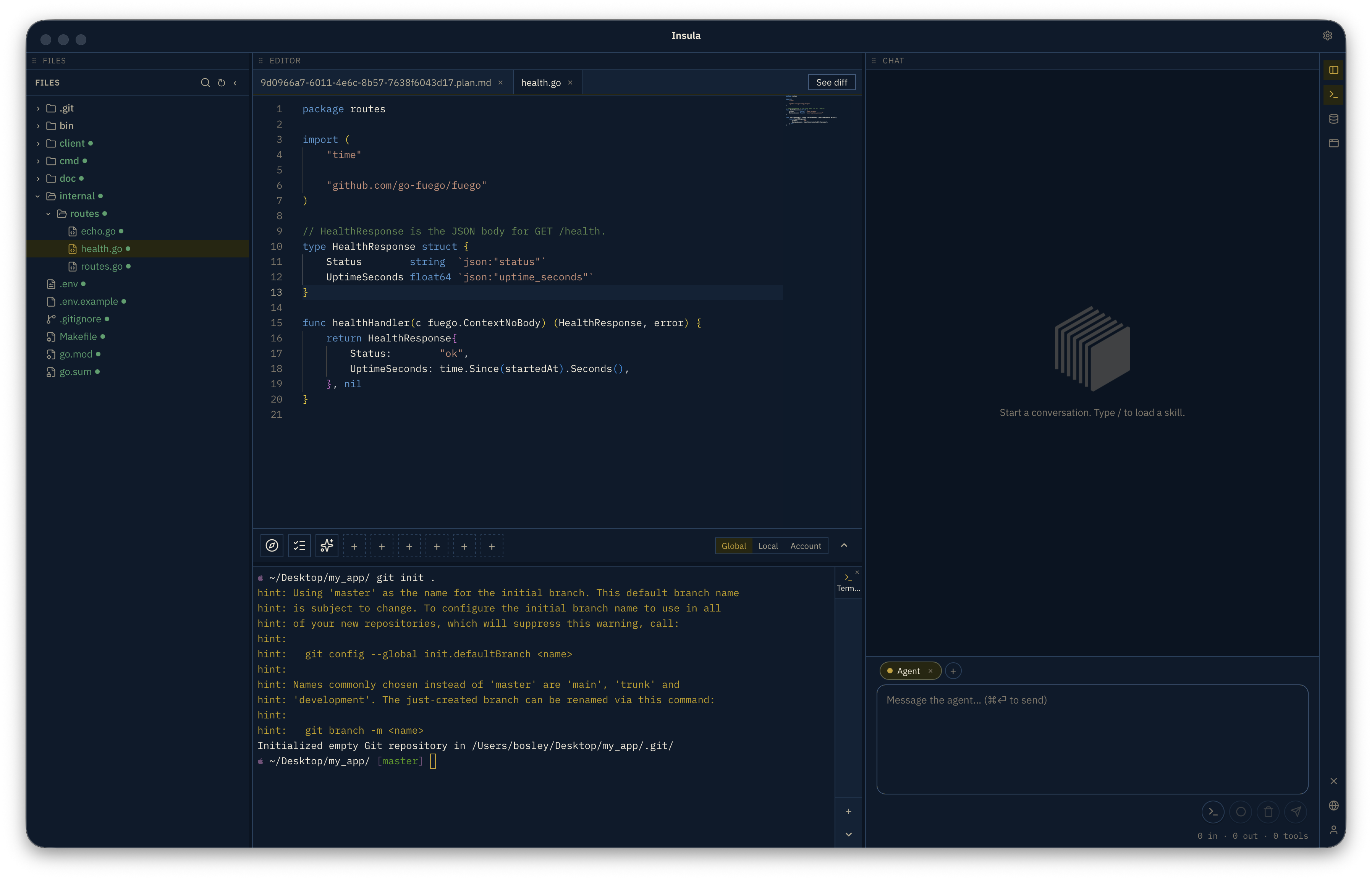
Theme applies across every open window. Pick Light, Dark, Lavender, Art Deco, Seafoam, Tokyo Night, and more — then keep working in a layout that feels like yours.
Stay current
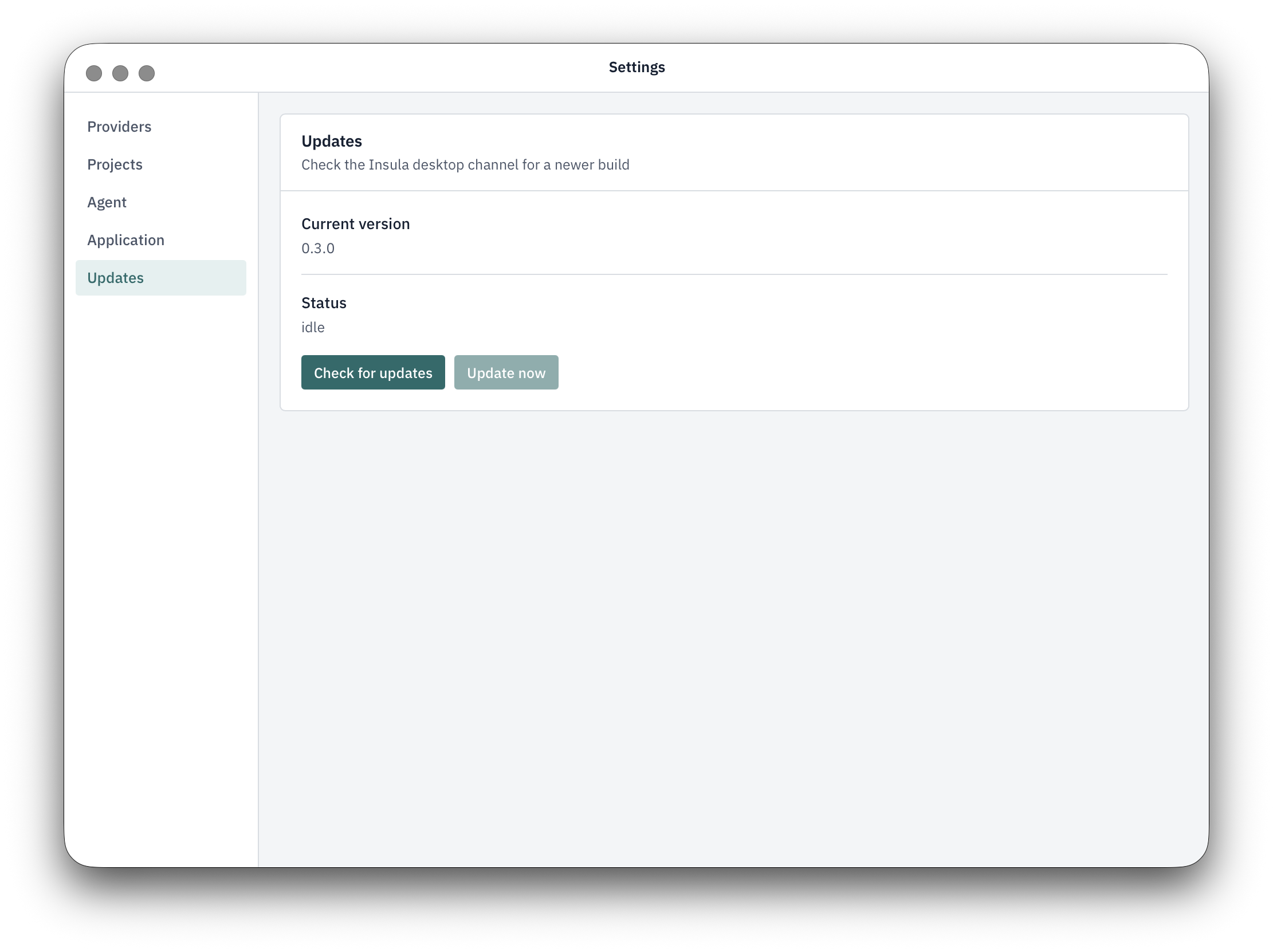
Updates ship in-app. Check for a new build when you want it, download, and install without leaving the desktop app.
Get Insula on your machine
Insula Labs exists to shorten the distance between what you can conceive and what you can make real.
Download a build for macOS, Windows, or Linux. Free to install — sign in inside the app when you are ready to subscribe. An account is optional: it unlocks account macros and encrypted cloud backup of providers and preferences. Project files, plans, and Insight stay on your machine.